Persona Identity Verification FAQ's
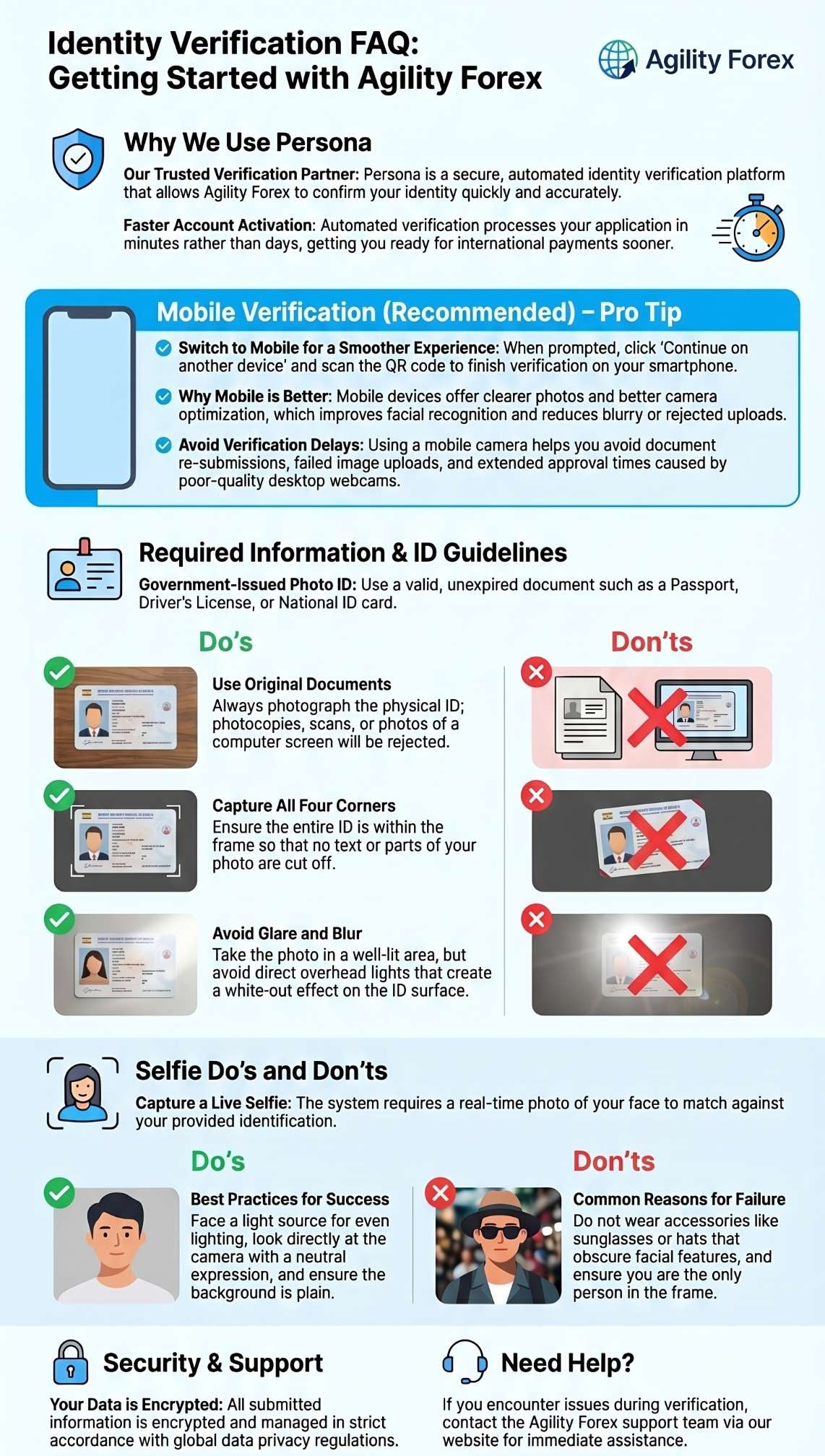
No. The individual completing verification must be the owner of the ID document.
Yes, click on continue another device and scan the QR code from your device.
Persona works on most smartphones, tablets, and desktop devices.
For best results:
- Use good lighting
- Avoid glare and shadows
- Capture all corners of the document
- Ensure text is readable
- Place the ID on a flat surface
- Use the original document only
Your information is used solely for identity verification, fraud prevention, and compliance purposes.
Most verifications are completed within a few minutes. In some cases, manual review may take longer.
Yes. Persona uses industry-standard encryption and security measures to protect your personal information and documents.
Try the following:
- Allow camera permissions in your browser/device settings
- Refresh the page
- Restart your browser
- Try another browser or device
Accepted government-issued IDs typically include:
- Passport
- Driver’s License
- National ID Card
- Permanent Resident Card (where applicable)
Accepted documents may vary depending on your country.
ID verification is the process of confirming your identity using a valid government-issued document and, in some cases, a selfie or live photo. This helps protect your account and comply with financial regulations.
Please contact customer support or the chat widget on our website if you continue to experience issues with verification.
Identity verification is required to:
- Prevent fraud and identity theft
- Meet regulatory and compliance obligations
- Keep your account secure
- Enable access to certain services and transactions
We recommend completing verification on your mobile device because it provides a faster and smoother experience.
Click on “Continue another device” and scan the QR code from your Mobile.
Mobile phones typically:
- capture clearer photos of IDs and documents
- have better camera optimization for verification checks
- reduce blurry or rejected uploads
- improve facial recognition/selfie verification accuracy
Using mobile helps avoid:
- verification delays
- document re-submissions
- failed image uploads
- extended approval times
Common reasons include:
- Blurry or low-quality images
- Expired ID document
- Information mismatch
- Glare or poor lighting
- Cropped or incomplete document
- Unsupported document type